Error eight (8) means the Roomba® i Series vacuum motor is having problems spinning or the filter is clogged. Perform bin and filter care procedures.
-
Press the bin release button on the back of the robot to remove the bin. The bin release tab has a  bin icon on it.
-
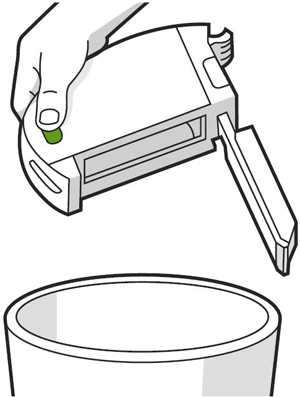
Open the bin door to empty the bin. The bin door release button has a bin icon.
-
Grasp the side of the filter to remove the filter from the left side of the bin.
-
Shake off debris by tapping the filter against your trash container.
 Filters are not designed to be washed or to come in contact with liquid.
-
Place the filter back into the bin.
-
Slide the bin into the bin slot, securing it into place.
If the problem persists, remove the filter and then wash the bin. Rinse out excess debris with warm water, and allow the bin to dry. Ensure the bin is completely dry.
The bin is designed to be rinsed by hand only. It is not dishwasher safe and should only be cleaned by being rinsed with warm water.