Roomba® backs up when it senses an obstacle or a cliff. If Roomba® is backing up when there are no obstacles or cliffs present, it is possible that its sensors are dirty. Use the following procedures to clean the cliff sensors and bumper sensors.
Clean Cliff Sensors
-
Turn your robot off, and place it on its back.
-
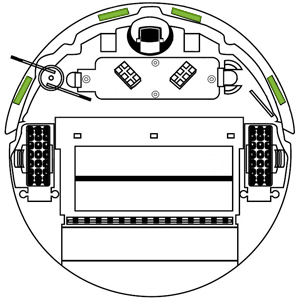
The cliff sensors are located in the four (4) rectangular openings located just inside the edge of the bumper. Make sure the cliff sensors are clean and free of debris. Generously blow out the cliff sensors on the front bumper with compressed air or wipe them with a clean, dry microfiber or soft cotton cloth, if compressed air is not available.
Clean Bumper Sensors
-
Briskly tap the bumper 15-20 times, alternating between the left and right sides of the bumper, to dislodge any debris in the bumper sensor.
-
Turn your robot off and place it on its back.
-
Direct compressed air into the gap under your robot between the bumper and main body. Start in the center, and then angle the air outwards to the side.
-
Remove the battery and direct compressed air into the openings in the robot battery well that are visible when the battery is removed.
Clean Front Caster Wheel
-
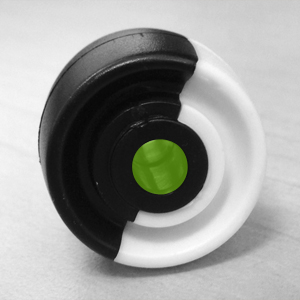
Push up on the front wheel to pop it out of its housing.
-
Remove debris from inside the front wheel cavity.
-
Push firmly on the wheel axle to remove it completely from the wheel.
-
Clear any hair wrapped around the axle and wipe it with a piece of melamine foam, such as a Magic Eraser.
-
Wipe the wheel clean.
-
Re-install the wheel into the housing, ensuring that both sides of the axle snap firmly in place. If the wheel falls out of housing, contact iRobot Customer Care.
Note: If the problem occurs on a dark surface, Roomba® may mistake this for a cliff. Use Virtual Walls® to block off problem areas.
If the problem persists after performing cliff sensor, bumper, and front caster wheel maintenance procedures, contact iRobot Customer Care.
For customers outside North America, please visit Global.iRobot.com.
For expedited service, please have the following ready:
- Your robot charged and with you.
- Your robot's Serial number.
- For warranty claims: Proof of purchase (receipt or invoice for purchase from an authorized retailer).